Spaceflight Simulator Unblocked: Build Rockets and Play Anywhere
Play Spaceflight Simulator on Windows PC & Online
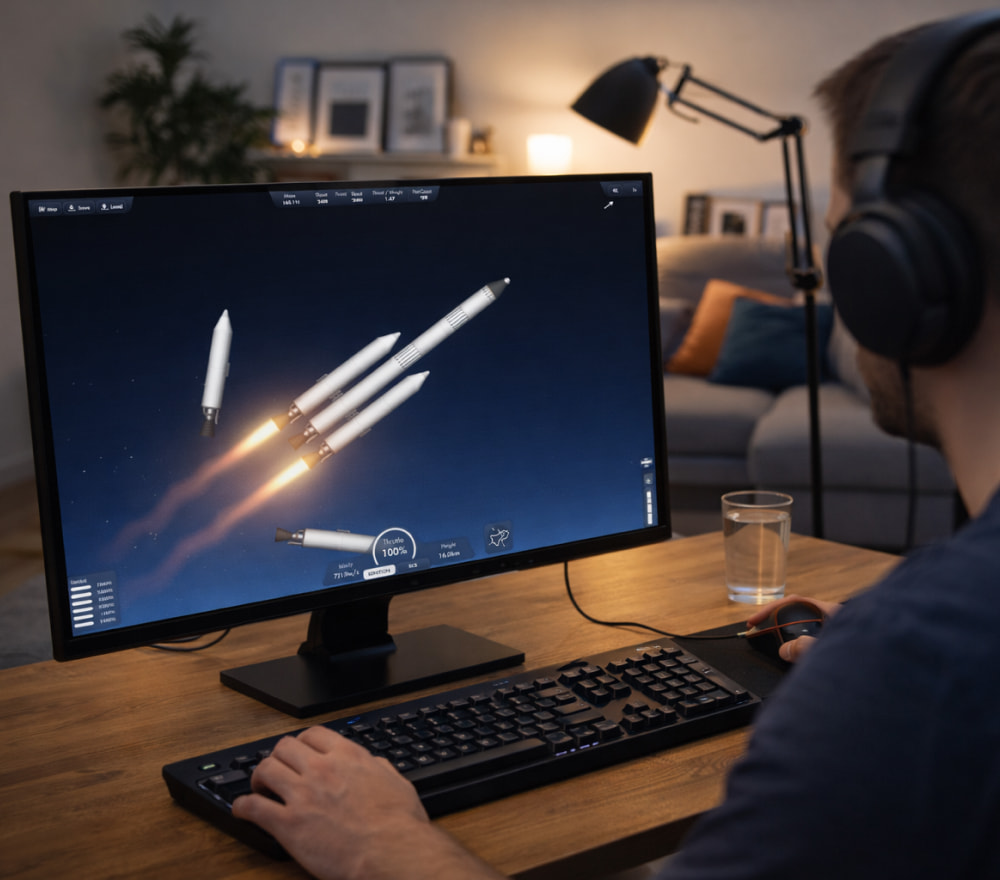
DownloadSpaceflight Simulator is a sandbox-style space game where you design rockets, test engines, and attempt realistic missions like orbital insertions, landings, and docking. For many players, access is the biggest hurdle when they’re on restricted networks at school, libraries, or workplaces. That’s why Spaceflight Simulator unblocked has become a popular search topic among people who want to explore space mechanics without interruptions. The best experience comes from stable performance, saved progress, and a setup that respects both device rules and the game’s official distribution.
What Unblocked Usually Means in Practice
When someone says unblocked Spaceflight Simulator, they typically mean one of three scenarios: a web version that runs in a browser, a legitimate install on a personal device, or a situation where access is restricted by network filtering. The safest approach is always to use official sources and play on a device you control, because bypassing rules on managed networks can lead to account or device restrictions.
- On a personal PC, installing via official stores is often the most reliable path.
- On managed devices, restrictions may prevent downloads or certain sites from loading.
- On browsers, performance depends heavily on hardware and the site’s build quality.
Quick Comparison: Common Ways People Try to Play
| Method | Pros | Cons | Best for |
|---|---|---|---|
| Official install on personal device | Stable saves, updates, predictable performance | Requires permissions and storage | Long-term play and complex builds |
| Browser-based play | No local install, quick start | May lag, limited features, inconsistent quality | Short sessions and simple missions |
| Restricted network attempts | Sometimes loads if allowed by policy | Can violate rules, may be blocked again | Only if explicitly permitted |
Safe Setup Tips for Smoother Gameplay
If your goal is install Spaceflight Simulator unblocked on a computer you own, focus on stability first: keep enough free disk space, close heavy background apps, and make sure your graphics drivers are up to date. In a physics-based game, even small performance improvements can make docking and landing attempts feel far more controllable.
- Lower simulation complexity if your device struggles during stage separation.
- Use smaller craft while learning rendezvous and re-entry techniques.
- Save frequently before risky burns or atmospheric entries.
Playing in a Browser: What to Look for
Some players specifically want Spaceflight Simulator online unblocked because it avoids local installs. If you choose a browser route, prioritize reputable sources, avoid suspicious pop-ups, and be cautious with sites that ask for unusual permissions. A trustworthy platform should feel straightforward: clear controls, minimal ads, and no shady installers.
- Check that the page is using HTTPS and looks professionally maintained.
- Test input responsiveness before committing to a long build session.
- Verify that your progress can be saved or exported if you need continuity.
Mini Guide: Getting Better at Missions
To enjoy the Spaceflight Simulator unblocked game experience, it helps to master a few core skills. Start with a simple two-stage rocket, aim for a stable orbit, then progress to transfers and landings. Once you can circularize consistently, you’ll find that nearly every mission becomes a repeatable checklist rather than guesswork. Think in steps: launch, gravity turn, orbit, transfer, capture, land, and return—each phase is easier when your craft is built specifically for it.
Common Issues and Easy Fixes
- Lag during staging: reduce part count and avoid overbuilding early prototypes.
- Unstable rockets: keep the center of mass forward and add gentle control surfaces if available.
- Missed orbits: start circularization earlier and use smaller, controlled burns.
If you’re playing in a restricted environment, the most reliable solution is to use approved devices or networks and stay within policy. With the right setup, you can focus on what matters: designing efficient rockets, learning orbital mechanics, and building missions that feel genuinely rewarding.